How to Fund and Withdraw from Pocket Option Without P2P via a Crypto Wallet
A step-by-step guide to depositing and withdrawing on Pocket Option and BinoView through a crypto wallet with a ruble top-up via the Faster Payments System (SBP): no P2P exchangers and no risk of a card block. Topping up the wallet by QR code from the bank, sending USDT on BEP20 or TRC20, withdrawing back to the wallet and into rubles by phone number, paying for purchases by QR. Amounts, fees and timings from the video.
Contents
Two typical stories: you deposited from a bank card and the money never arrived, or you built up a profit and cannot withdraw it. Below we break down the method BinoView partners use: a crypto wallet with a ruble top-up via the Faster Payments System (SBP). We top up the wallet from the bank by QR code, send USDT to Pocket Option, withdraw the profit back to the wallet and then to a phone number or card. No P2P exchangers and no hunting for a counterparty. Everything is done from a smartphone and suits those who have never worked with cryptocurrency.
Why not from a bank card
Depositing from a card or directly via SBP at the broker looks the simplest, but it has two pitfalls.
- Withdrawal only by the same method. The broker returns money to the channel the deposit came from. Deposit 10,000 ₽ from a card, build it up to 100,000 ₽, and the withdrawal goes to the card.
- Card withdrawals go through P2P. It is not the broker that sends you the money but an exchanger or a private counterparty. If you get a dishonest one, they can file a complaint and demand the money back, and the bank will block your account under Federal Law 161-FZ. Proving anything in that situation is hard.
The classic way out is buying USDT on an exchange via P2P (we covered it in the guides on registering on BingX, depositing via BingX and withdrawing via BingX). There is a counterparty there too, just one with a rating and the exchange's protection. The method from this video removes the counterparty entirely.
How the scheme works
| Stage | Where it happens | What is transferred |
|---|---|---|
| 1. Top up the wallet | wallet, via SBP from the bank | rubles → dollars on the wallet balance |
| 2. Deposit to the broker | Pocket Option or BinoView → wallet | USDT from the wallet to the broker's address |
| 3. Withdraw from the broker | Pocket Option or BinoView → wallet | USDT from the broker to the wallet address |
| 4. Withdraw into rubles | wallet, by phone number or card | dollars → rubles to a bank account |
| 5. Paying for purchases | wallet app, QR scanner | dollars → SBP payment at the checkout |
Stages 1–2 are needed once on the way in; 3–4 repeat with every withdrawal. Stage 5 is optional, but the video shows it as the reason it is convenient to keep money in the wallet.
Step 1. The wallet and verification
Open antarcticwallet.com and choose how to use it: an Android app (APK or Google Play), the App Store for iPhone, a Telegram bot or the web version. The video shows everything in the web version; the steps in the app are the same.
- Click "Sign up". Two paths: by email or "Continue with Telegram". In the second case a Telegram window opens; click "Log in" and return to the wallet tab. The message "If this was not you, delete the session" refers to someone else's logins; for your own, simply close it.
- First of all, pass verification. It is easier from a phone: the app opens the camera itself. The principle is the same as at the broker. Without verification the other operations are unavailable.
Learn for free
Step 2. Top up the wallet via SBP
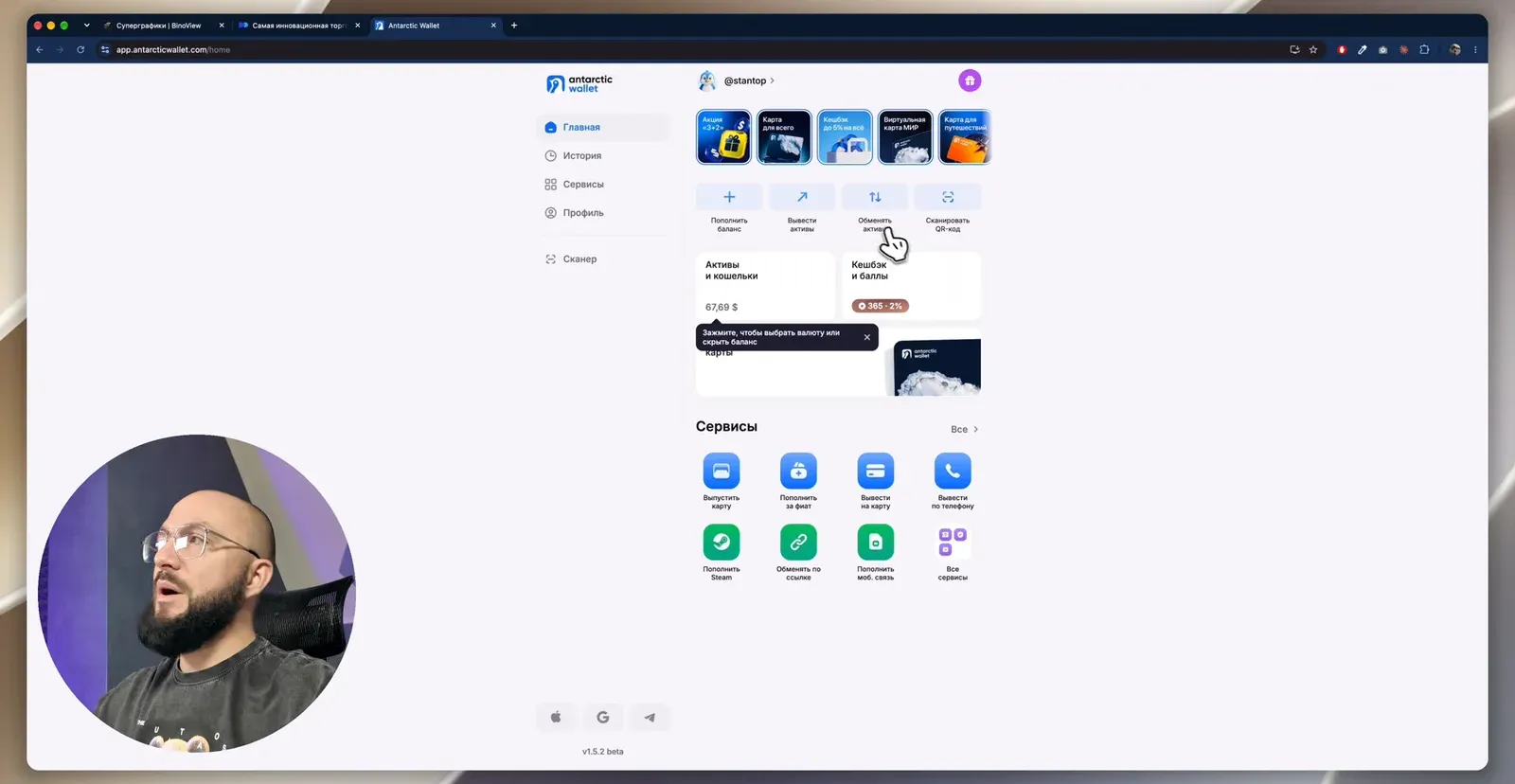
On the home page click "Top up balance". Two options:
- Fiat via SBP — a fast transfer from the banking app in rubles. Our case.
- Assets to the wallet address — a cryptocurrency transfer from another wallet. Useful for those who already work with USDT.
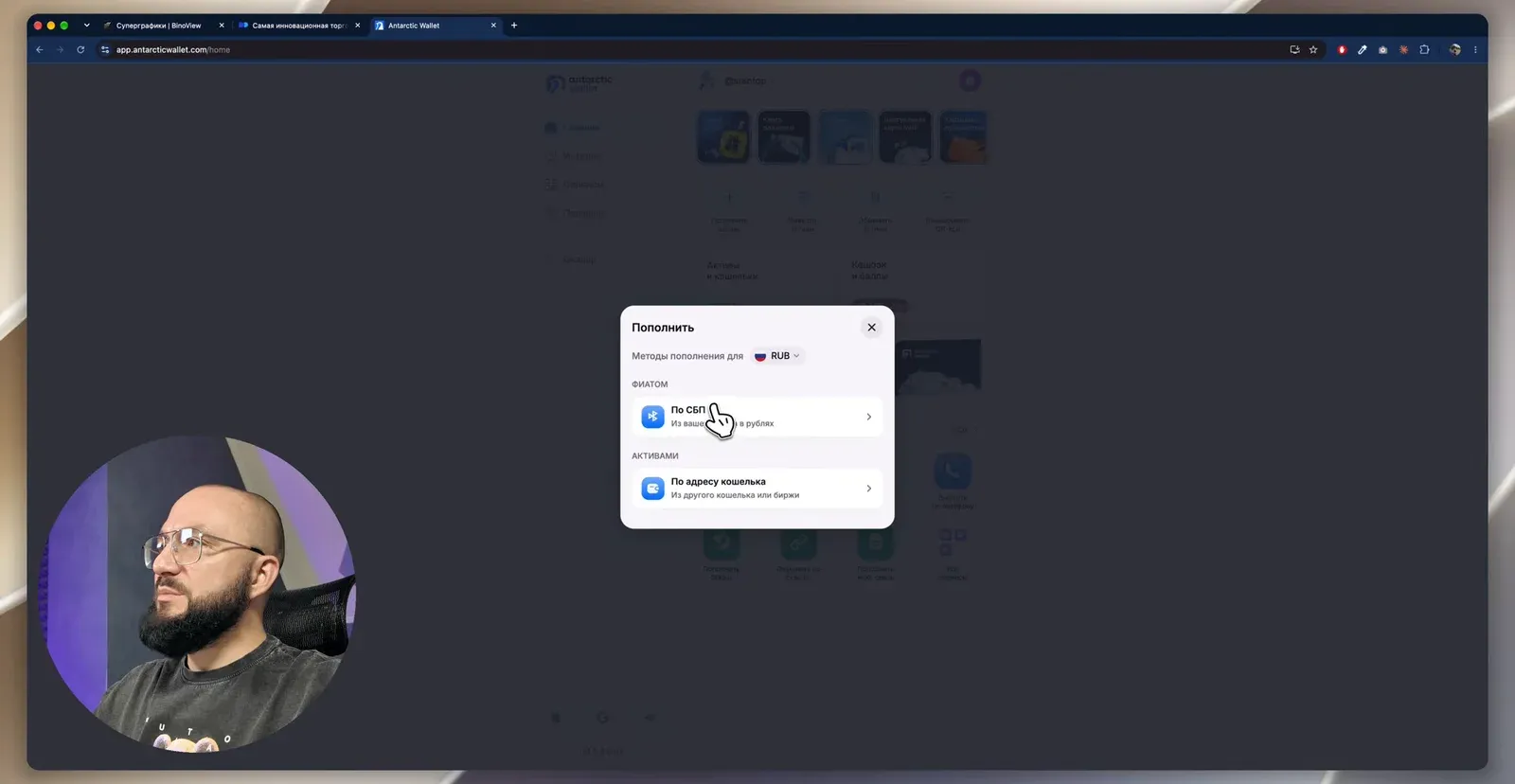
Choose "Via SBP" and enter the amount. In the video it is 10,000 ₽, and in exchange the wallet shows $113. Then:
- "Continue", check the payer details.
- "Proceed to payment". Before that the service asks you to confirm that you accept the terms and understand the risks of digital assets.
- A QR code appears on screen. Scan it with the phone camera or from the banking app and confirm the 10,000 ₽ transfer.
- Return to the wallet tab: the top-up is marked as successful, with the date and time.
In the video the balance grew from $67.69 to $181.07. Note the rate: the wallet gave $113 for 10,000 ₽, that is about 88.5 ₽ per dollar. This is more expensive than the exchange rate, and it is the price of having no P2P.
Step 3. Deposit to Pocket Option in USDT
Where you open the deposit form from does not matter. In BinoView click the balance → "Deposit" → "Deposit via Pocket Option". On the broker's website: "Finance" → "Deposit". The same pocketoption.com page opens either way; the money goes to the broker in any case, the terminal never touches it.
- In the list of methods find cryptocurrency and select Tether (USDT).
- Choose the network. The video compares two:
| Network | Minimum amount | Crediting time | Wallet fee for sending |
|---|---|---|---|
| USDT BEP20 (BNB Smart Chain) | 837 ₽ | 3–5 minutes | up to $0.40 |
| USDT TRC20 | 2,500 ₽ | 3–5 minutes | up to $2.75 |
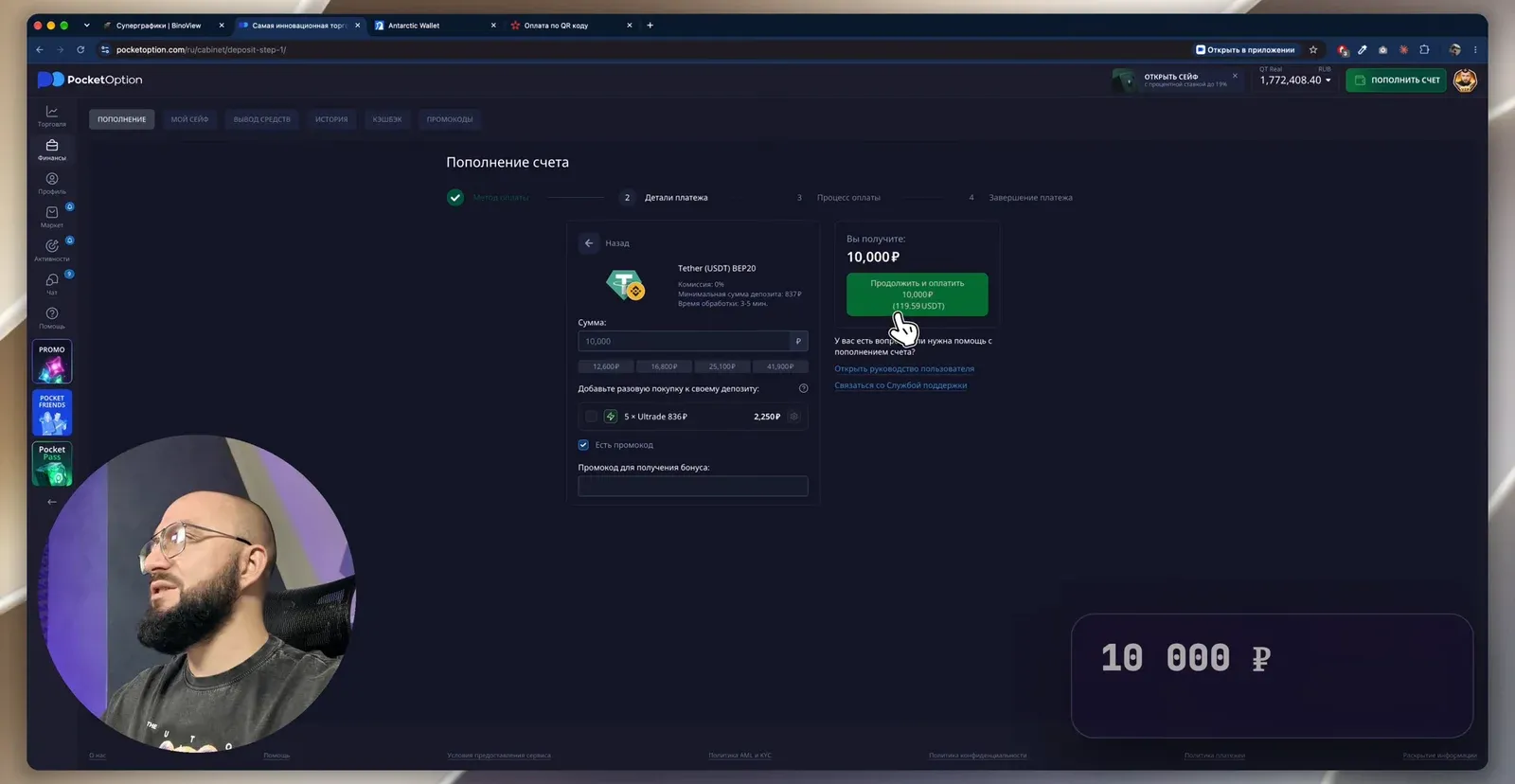
The only difference is the minimum and the fee; the speed is the same. The video uses BEP20.
- Enter the amount. The field's currency depends on the account currency: with a ruble account, enter rubles. 10,000 ₽ in the video equals 119.59 USDT. The promo code field can be left empty.
- "Continue and pay". The broker shows the exact amount in USDT and the wallet address to send it to. Send exactly this amount, not less.
Now send the USDT from the wallet:
- In the wallet: "Assets and wallets" → "Withdraw assets" → "To assets by wallet address".
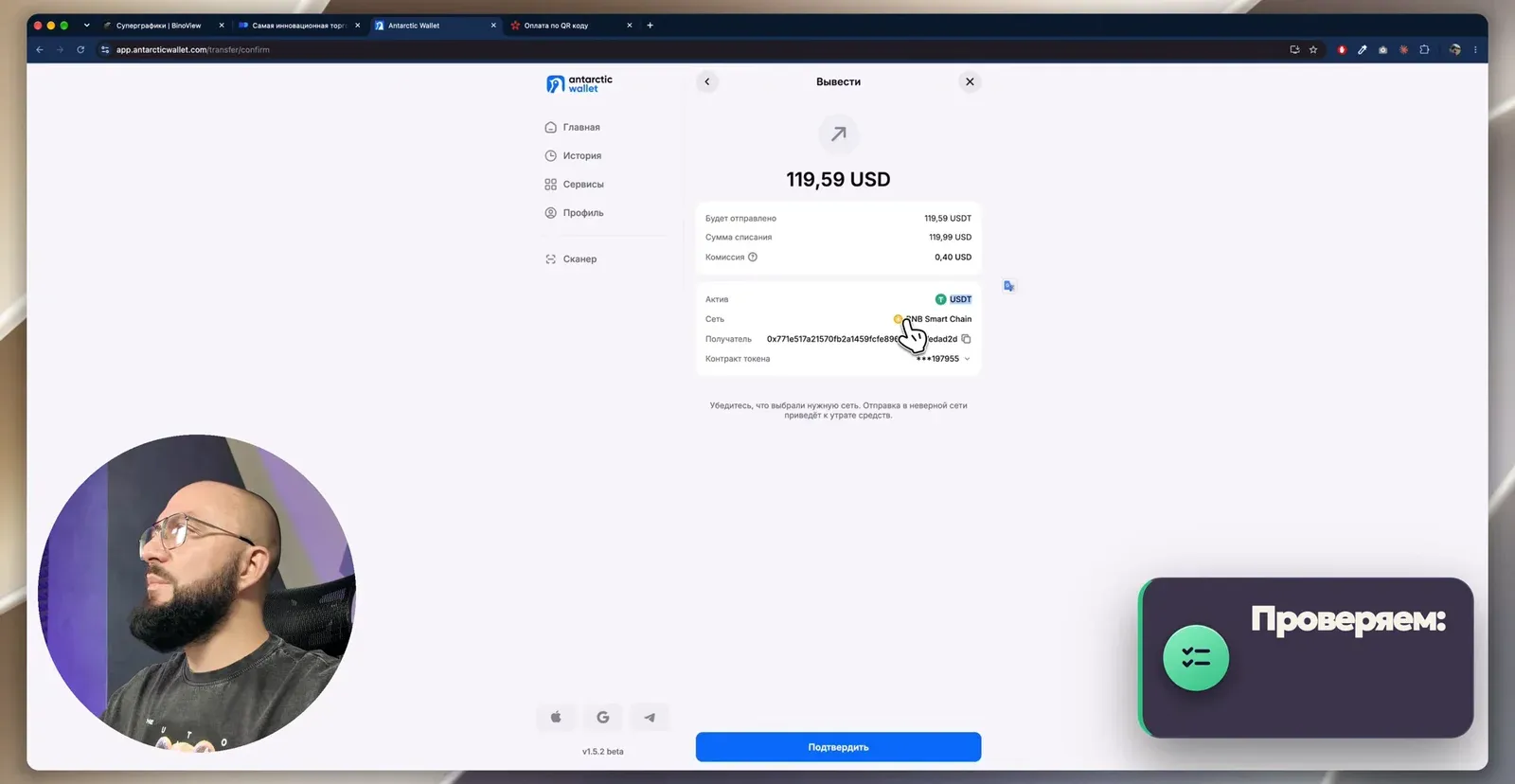
- Choose USDT and the network. In the wallet BEP20 is called BNB Smart Chain. It is the same network under two names, worth remembering straight away.
- Copy the exact amount (119.59) and the address from Pocket Option and paste them into the wallet.
- On the confirmation screen check three things: the asset USDT, the network BNB Smart Chain, the recipient address. The wallet shows the debit amount including the fee: $119.99 for a transfer of 119.59 USDT.
- "Confirm". Crediting to the broker's account takes 3–5 minutes, rarely up to 20.
Step 4. Withdraw from Pocket Option to the wallet
The rule that removes most withdrawal problems: withdraw to where you deposited from. Deposited in USDT BEP20, withdraw in USDT BEP20. Sometimes the broker itself offers a crypto withdrawal when a card payout is unavailable, but that is the exception, not the rule.
- In BinoView click the balance → the yellow "Withdraw" button → "Go to withdrawal". At the broker: "Finance" → "Withdrawal". The windows are identical; the address in both cases is pocketoption.com.
- Payment method: USDT on the network you deposited with. Enter the amount, in the video 10,000 ₽.
- Take the address from the wallet: "Top up balance" → "By wallet address". Check that USDT and the BNB Smart Chain network are selected, copy the address.
- Paste the address into the broker's form and confirm.
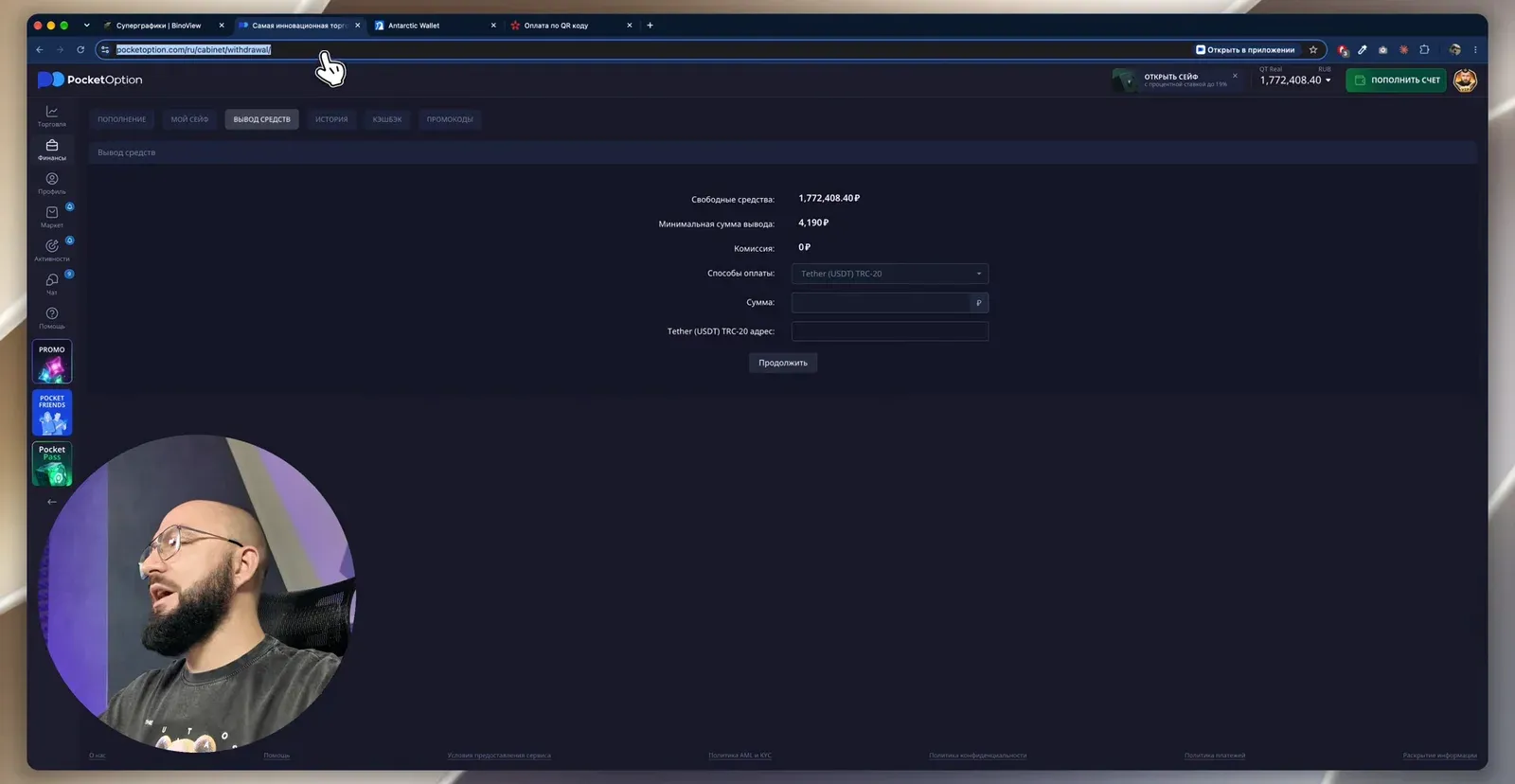
Under the broker's rules the money takes up to two days; in cryptocurrency it is usually noticeably faster.
Step 5. Withdraw into rubles by phone number or to a card
Once the USDT has reached the wallet, all that remains is to exchange it for rubles.
- "Withdraw assets" → the "To fiat" section: by phone number (with the recipient's country selected) or by card number.
- Enter the phone number, choose the country and the bank. In the video it is T-Bank, the same one the top-up came from.
- Enter the amount in rubles. 10,000 ₽ at a rate of 79.19 ₽ per dollar debits $126.28.
- "Continue" and confirm the operation. The confirmation code arrives in the wallet's Telegram bot.
- The service says "up to 10 minutes"; in the video the money arrived within seconds.
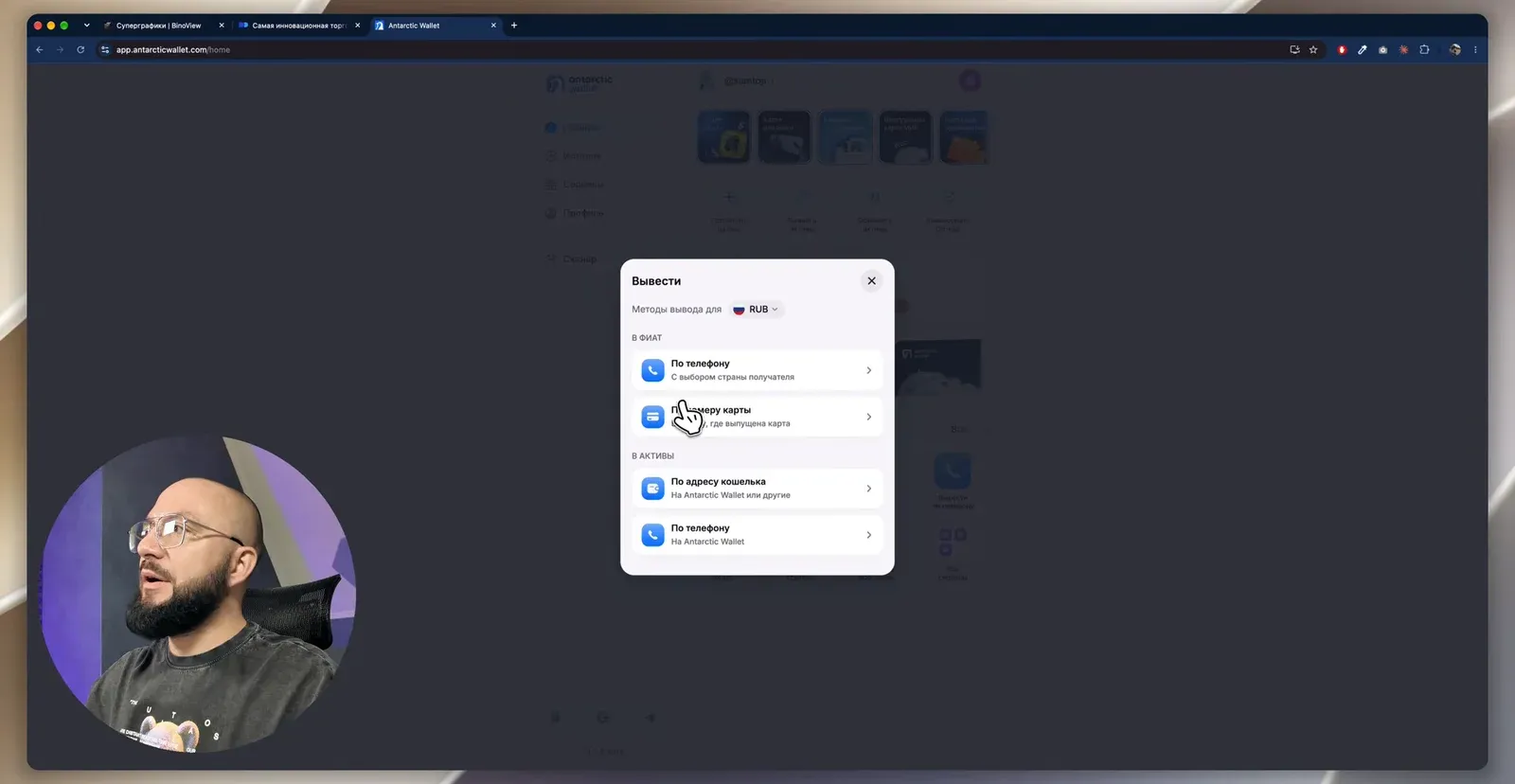
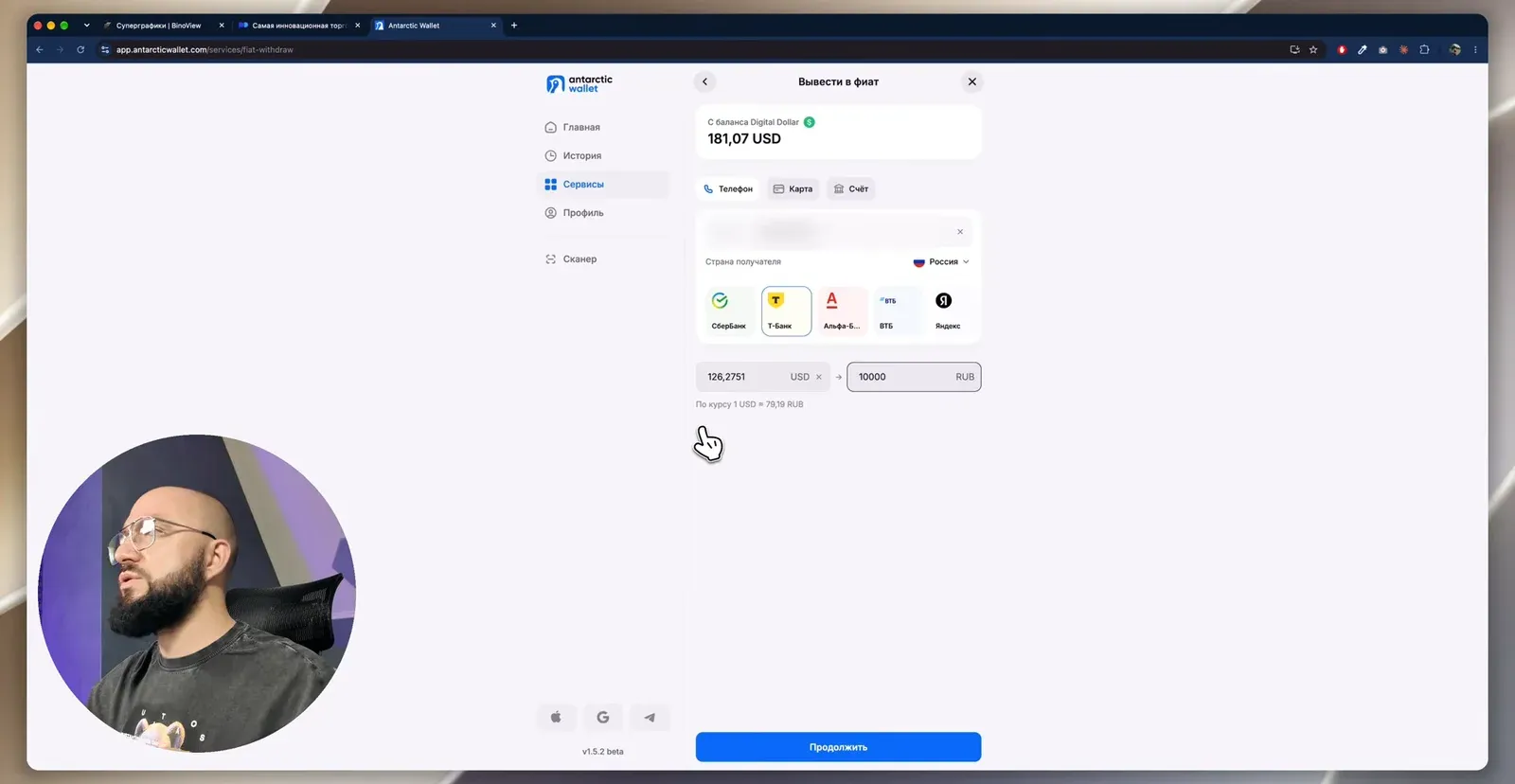
This is where we pay with the rate a second time. We topped up at 88.5 ₽ per dollar and withdraw at 79.19. Round trip, that is about a 10% difference between the entry and the exit, and it is worth factoring in when you count your trading result.
Paying for purchases from the wallet
Money from the broker arrives in the wallet in dollars, even if you withdrew from a ruble account: the conversion is automatic. You can then pay with it at the checkout: in the wallet app tap the scanner and read the SBP QR code. The app shows the rate (in the video 1 USDT = 83.60 ₽) and the amount; tap "Exchange" and the payment goes through immediately. This way you can pay at the grocery store, for coffee or for electronics without withdrawing money to a card.
Rules worth remembering
- One network in and out. BEP20 = BNB Smart Chain. Check the network on both screens before every transfer.
- The exact amount. The broker expects exactly the USDT amount it showed in the form. The network fee is added on top and paid by the wallet.
- Withdraw to where you deposited from. One wallet for deposits and withdrawals saves you from correspondence with support.
- Verification before the first transfer. Without it the wallet will let you neither top up nor withdraw.
- The rate is your fee. Count your trading result with the difference between the top-up and withdrawal rates in mind.
FAQ
How does this method differ from depositing via BingX and P2P?
On P2P you buy USDT from another person, and the quality of the deal depends on the counterparty: the money may arrive from someone else's card, and the counterparty may file a complaint. In a wallet with a ruble top-up you pay the service via SBP, as in an online store, and the withdrawal goes to your phone number or card. You pay for this with the rate: in the video the difference between the top-up and withdrawal rates is about 9 ₽ per dollar.
Which network to choose for USDT: BEP20 or TRC20?
Both are equally fast; crediting to Pocket Option takes 3–5 minutes. BEP20 (BNB Smart Chain) has a lower minimum (837 ₽ versus 2,500 ₽) and a lower wallet fee ($0.40 versus $2.75). The main rule: the network you send on and the network of the recipient address must match, otherwise the money is lost.
Can I withdraw from Pocket Option to the wallet if I deposited from a card?
By default the broker returns money by the same method the account was funded with. Sometimes support itself offers a crypto withdrawal when a card payout is unavailable, but do not count on it. The reliable option: deposit in USDT from the start and withdraw in USDT to the same wallet.