Adaptive S/R Zones Bot: Auto Trading from Levels on Pocket Option
The Adaptive S/R Zones signal bot draws support and resistance zones and gives bounce and breakout signals. Manual entries on M1–M5 with one recovery trade, Auto mode settings on 5-second OTC ($49, martingale 2.2, take-profit $600), the typical market-type mistake and a breakdown of two sessions from the video.
Contents
In the previous video Nick traded levels by hand; in this one he moves the same logic into auto trading. The Adaptive S/R Zones bot draws support and resistance zones on its own, marks bounces and breakouts, gives BUY and SELL signals, and in Auto mode opens trades on them. Below are the rules for working the signals by hand, the auto-trading settings, a typical launch mistake and a breakdown of two sessions.
What the bot does
Zones appear on the chart: red resistance lines and green support lines. When price approaches a zone, the bot first reads it as a bounce and signals in the bounce direction; if a candle closes beyond the zone, it marks a breakout. The "S/R Panel" in the chart corner shows the current resistance and support, the last breakout, the number of active zones and the last signal.
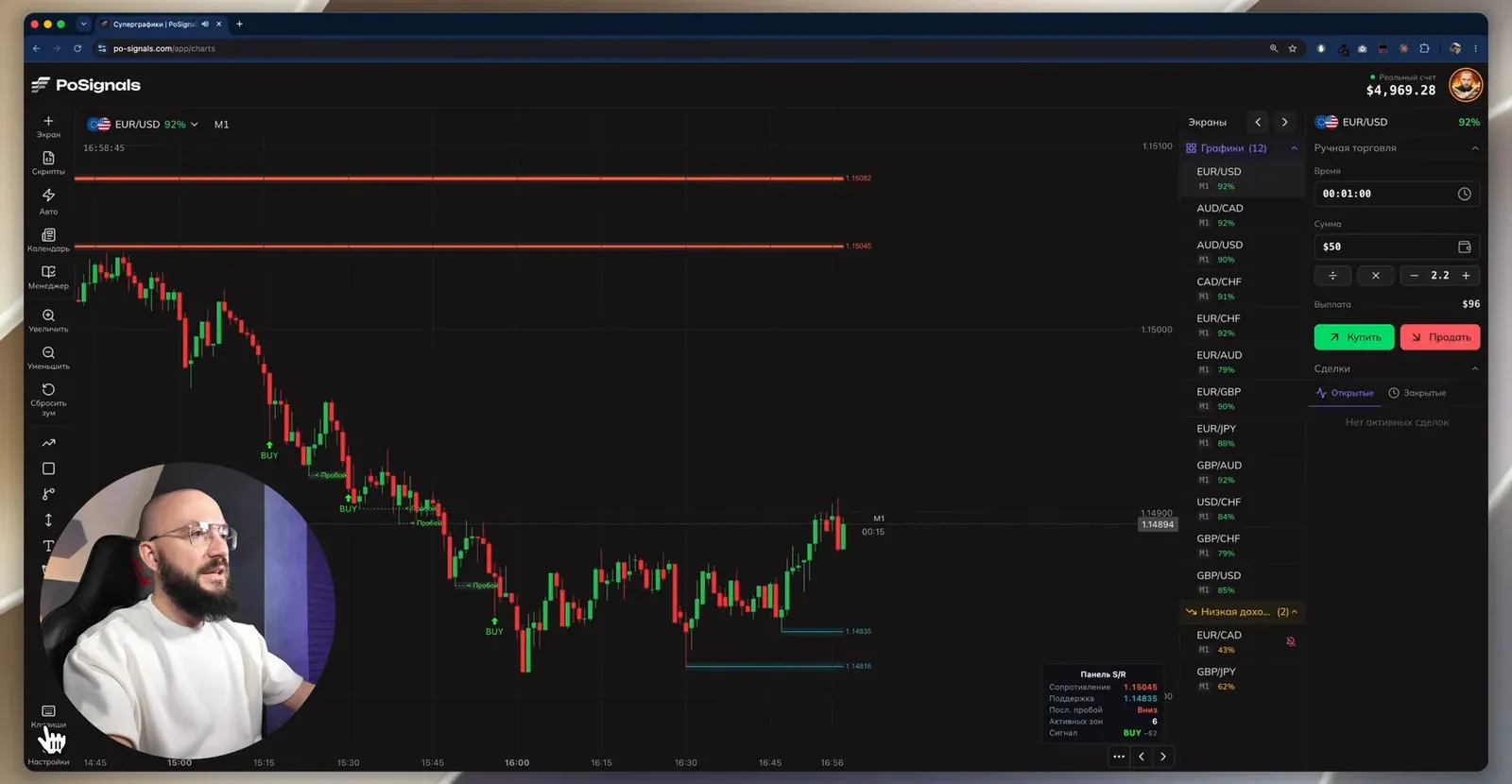
Trading the signals by hand
- Script signal sounds are on, so you do not have to watch fifteen screens by eye.
- A signal on M1 means a 1-minute trade, on M5 a 5-minute one. Enter at the open of the new candle after the signal.
- A loss is covered with one recovery trade on the same asset, then move to another asset. The bot's author uses two recovery trades.
- M1 and M5 suit exchange pairs; on OTC you can go down to second-based timeframes.
Adaptive S/R Zones and other tools — in BinoView Supercharts
Auto mode
| Parameter | Value from the video | Note |
|---|---|---|
| Account | real | the author runs on real because the challenge deposit is already in profit |
| Strategy | martingale | no stop-loss needed, the steps cap the series |
| First trade | $49 | 1% of a deposit of about $4,900 |
| Coefficient | 2.2 | |
| Maximum steps | 6 | |
| Trade opening | on the next candle | |
| Expiration | 5 seconds | chart timeframe S5 |
| Min. payout | 86% | |
| Maximum trades | 5,000 | |
| Take-profit | $600 | the bot stops itself in profit |
| Stop-loss | off | |
| Recover on the same pair | 1 | |
| Telegram notifications | on | every series arrives as a message |
| Auto-switch all pairs | every 3 minutes |
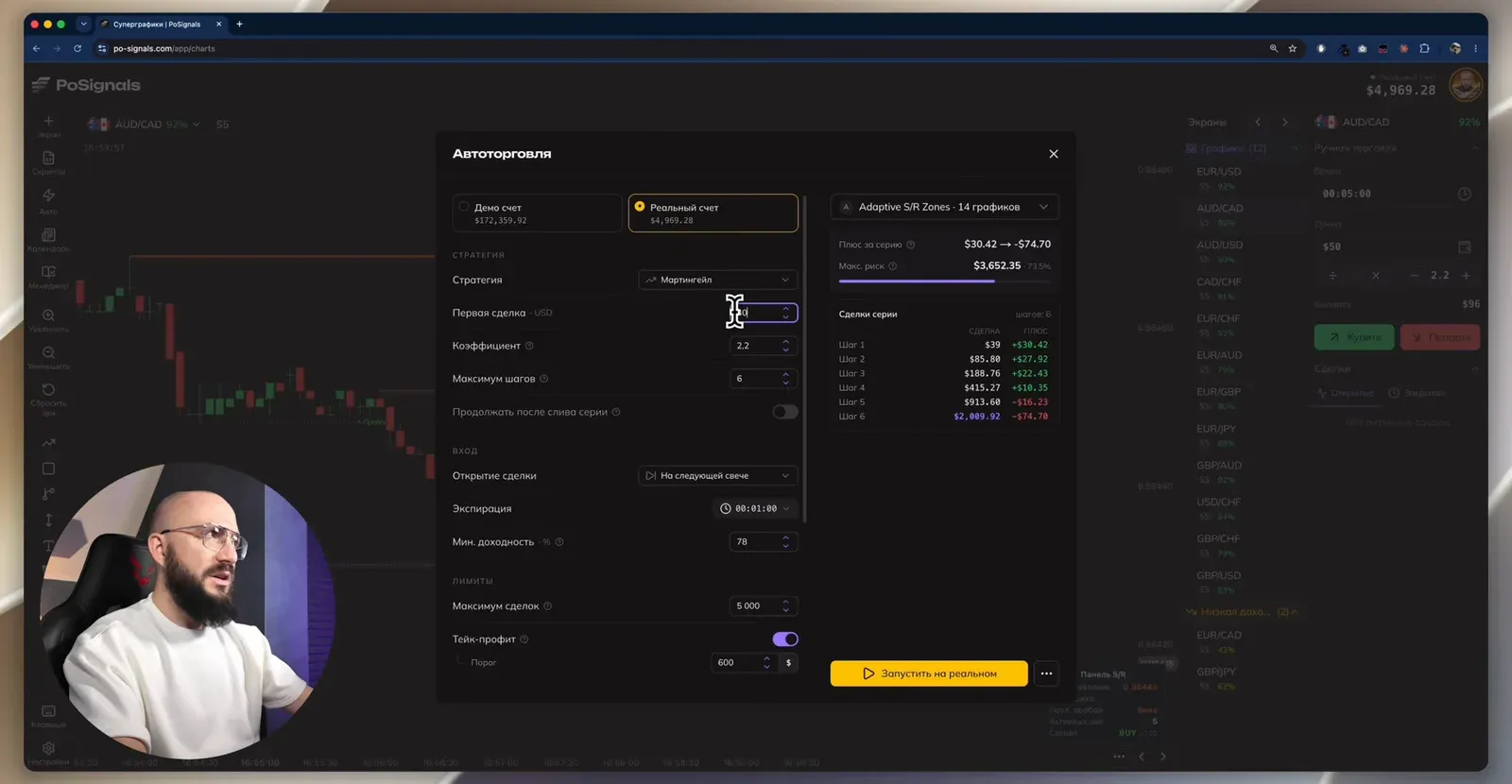
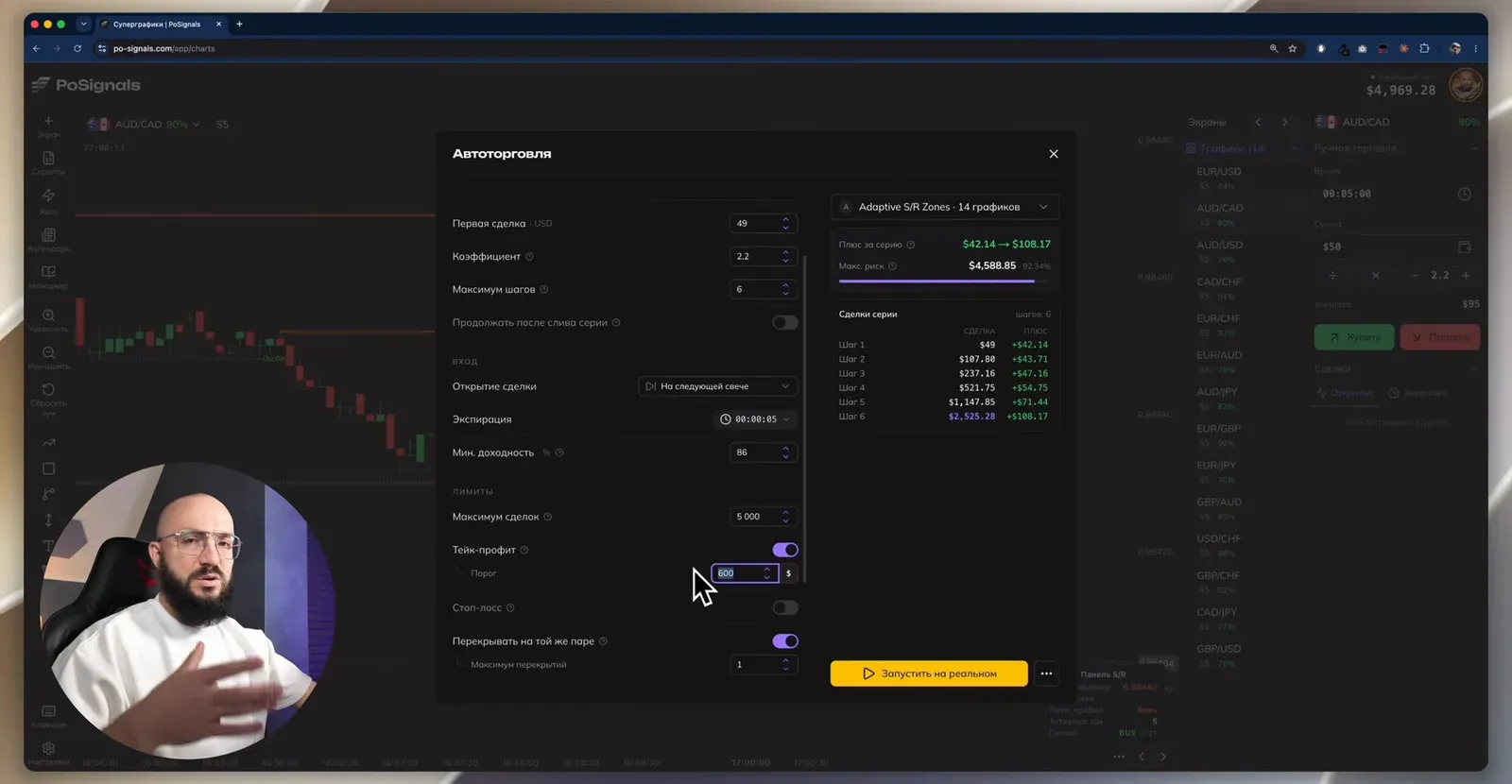
The typical launch mistake. After pressing "Run" there were no trades: the market settings had the exchange type selected, and exchange pairs have no expirations shorter than a minute. Switching to OTC and mass-refreshing the pairs solved it. The author says he makes this mistake regularly himself and gets the same questions from partners.
The first test: 356 trades in 13 hours
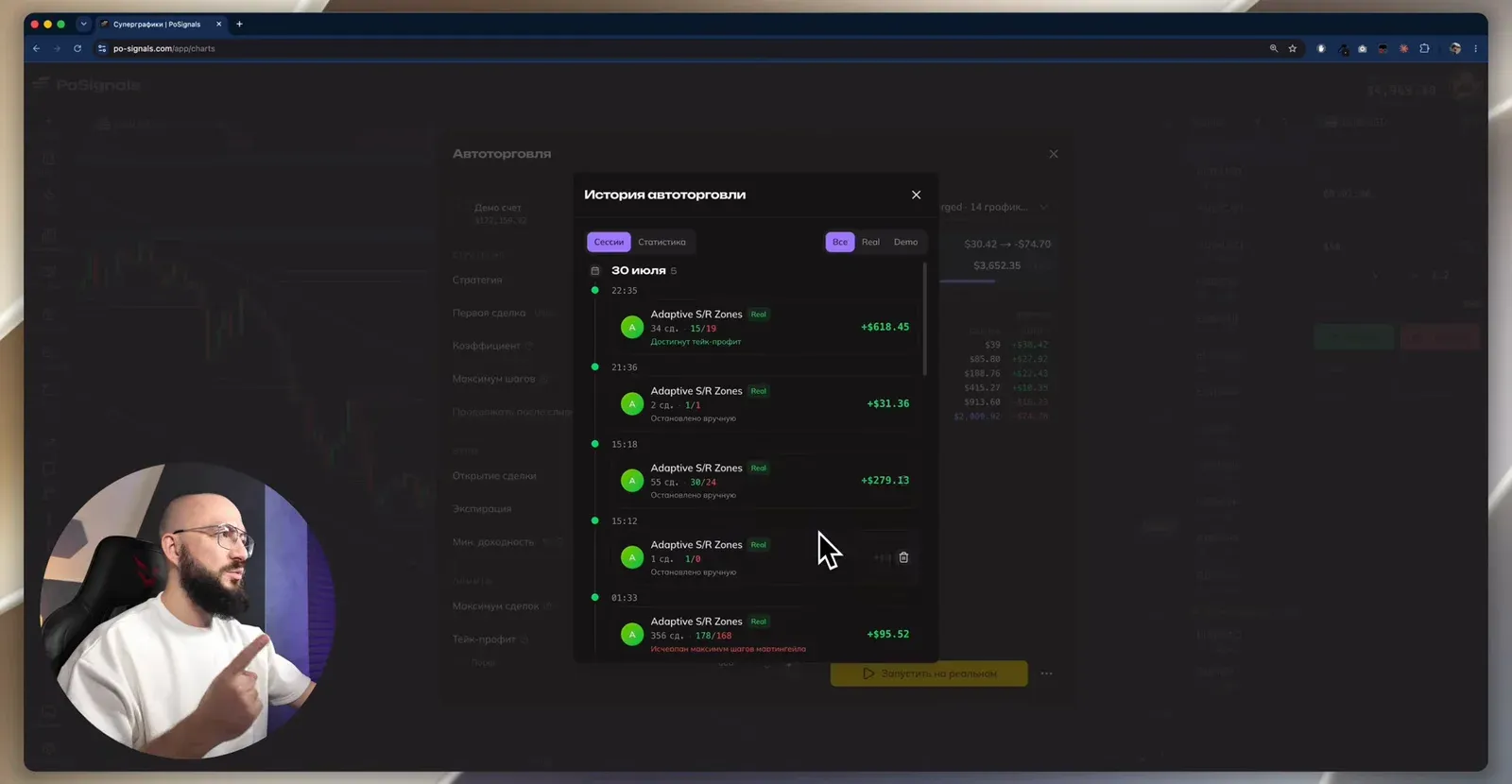
Before the recording the bot ran on OTC with a 5-second expiration for 356 trades in 13 hours: 178 wins and 168 losses, the deposit grew from $3,417 to $3,512. At the very end a series reached the sixth step and stopped the bot, but the session still closed with a $95.52 win. The day before the recording the same bot brought in over $1,000.
The session from the video, trade by trade
After switching to OTC the bot opened a series right away: the first trade lost, the recovery won. Trades then came one or two per series; at one point a series reached the fifth recovery and the author admits his palms were sweating, but it closed as a win. He stops the bot by hand at +$531.95: 20 trades, 10 wins and 10 losses, a 50% win rate, 10 series.
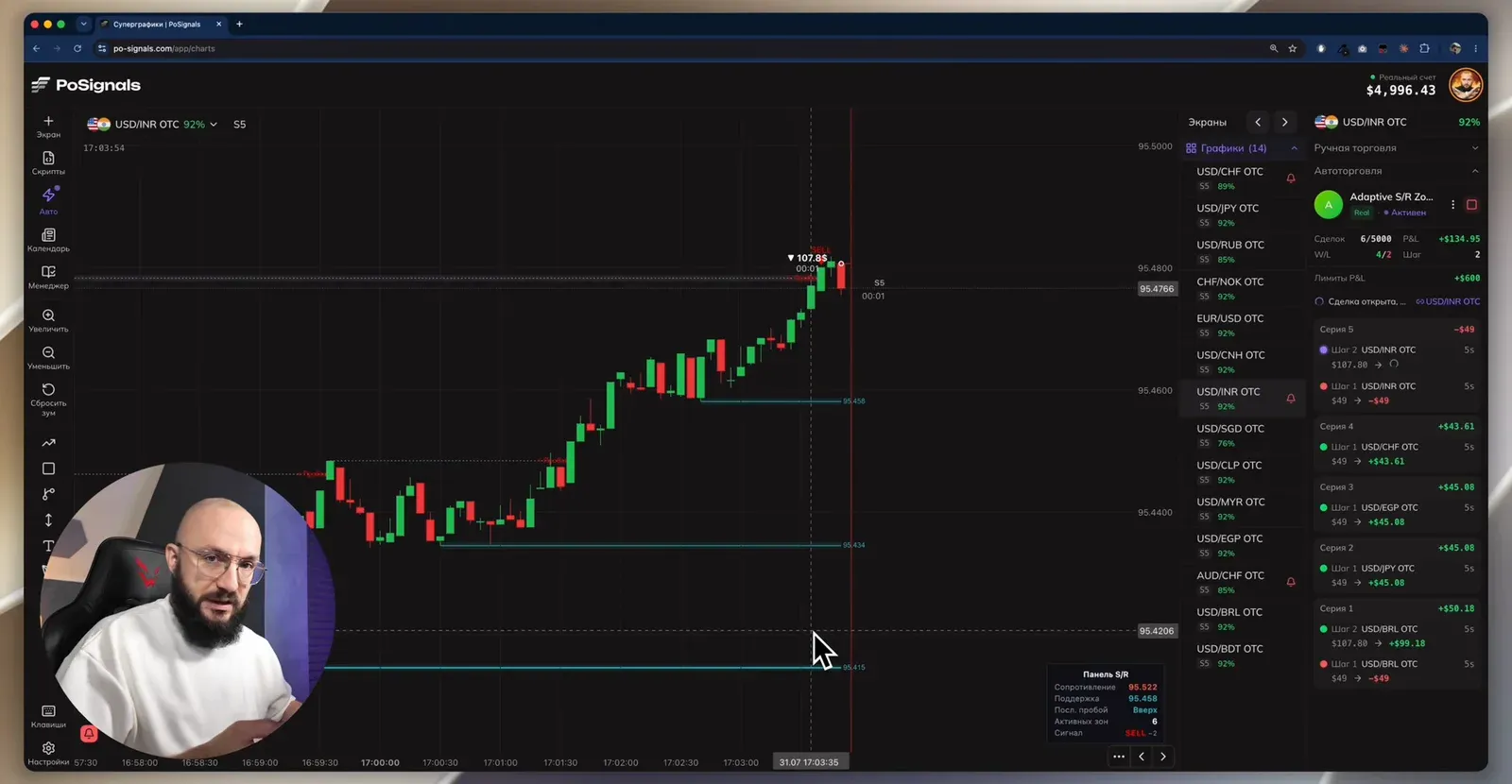
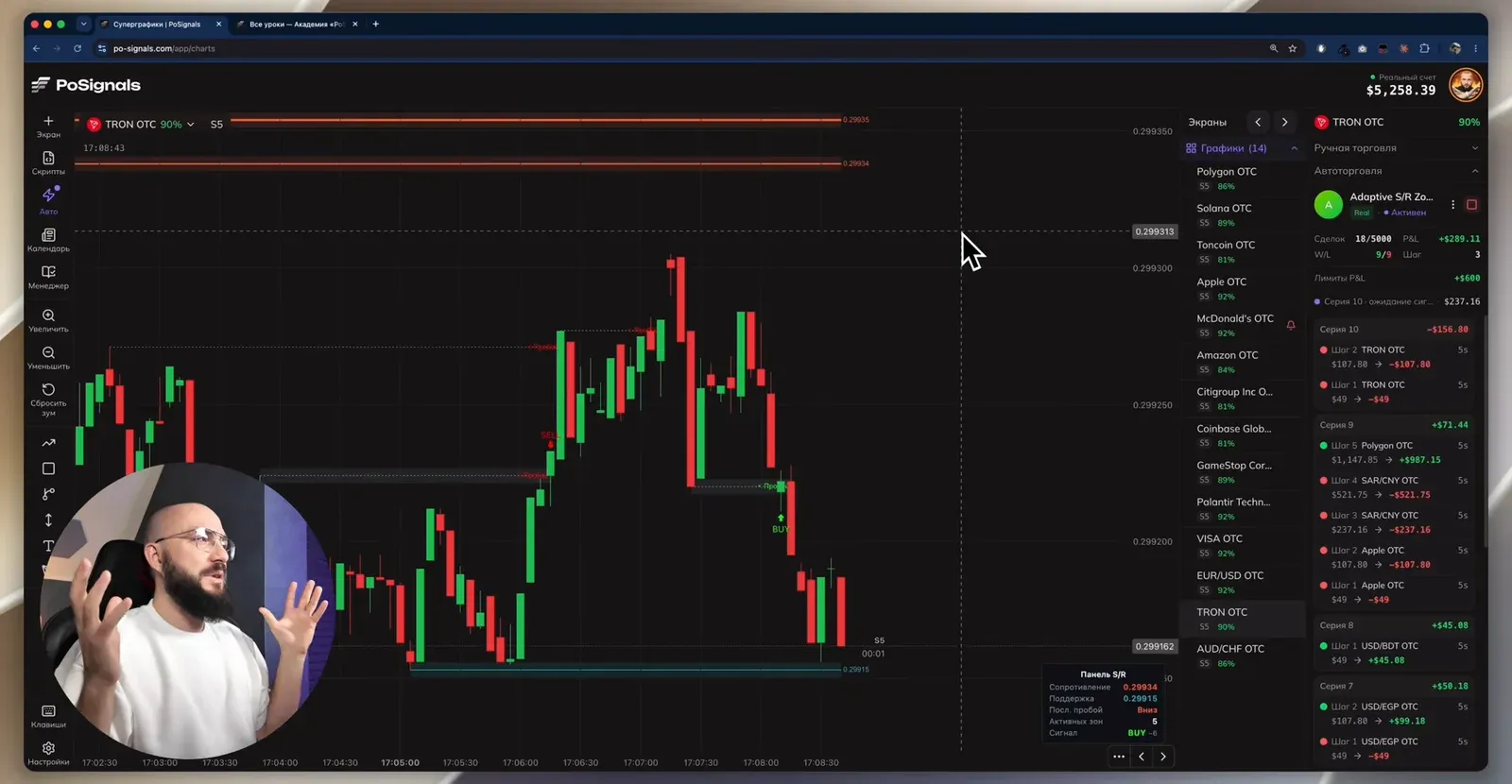
Other results are visible in the history next to it: a −$408 session and a +$611 session. The author shows them on purpose: situations vary, and the deposit curve only grows over distance.
Before you test it
- Start with $100 and a fixed amount. The author says it plainly: a beginner does not need martingale; first manual trading with a fixed size and the academy course.
- Greed kills a deposit, not the bot. Profit is taken in time; stopping by hand is a normal part of the work.
- OTC means synthetic quotes. Five-second trades are only possible on OTC, see the OTC article.
- Free money only. No borrowed funds; the deposit comes from savings.
- Demo before real. All the buttons are the same.
FAQ
Why doesn't the bot open any trades after launch?
The most common reason is that the exchange market is selected, and it has no expirations shorter than a minute. Five-second trades need OTC: switch the market type in the settings and mass-refresh the pairs. The author makes this very mistake in the video.
How many recovery trades per asset?
The author takes one: the first trade and one recovery, then another asset. The partner who shared the bot works with two. In Auto mode this is the 'Recover on the same pair' parameter, set to one in the video.
When should I stop the bot?
At take-profit or by hand as soon as the account shows a noticeable gain. The longer the bot runs, the higher the chance of hitting a prolonged trend where a series reaches its last step. The author stops at +$531 and explains: greed kills a deposit, not the bot.