Launching a Trading Bot for Pocket Option from a Smartphone: Terminal Settings and Auto Mode
A step-by-step launch of auto trading from a phone in BinoView Supercharts: 15 screens, market and terminal settings, the Flip Core bot from the catalog, Auto mode parameters (martingale 2.2, six steps, 1-minute expiration, take-profit), the control panel, session history and a breakdown of the launch from the video.
Contents
In this video Nick launches auto trading from a smartphone from scratch: he creates the screens, sets up the market and the terminal, adds a bot from the catalog, turns on Auto mode and takes the session to its first win. Below is the whole path step by step with the settings visible on screen, and a breakdown of the launch from the video.
Step 1. Fifteen screens
The button with the screen number opens the screen control panel. The plus button adds new charts until there are fifteen: the bot looks for signals on every open screen, and the more different pairs, the more frequent the trades. If every screen shows the same pair after adding, that is not a mistake: uniqueness is switched on in the market settings in the next step.
Step 2. Market settings
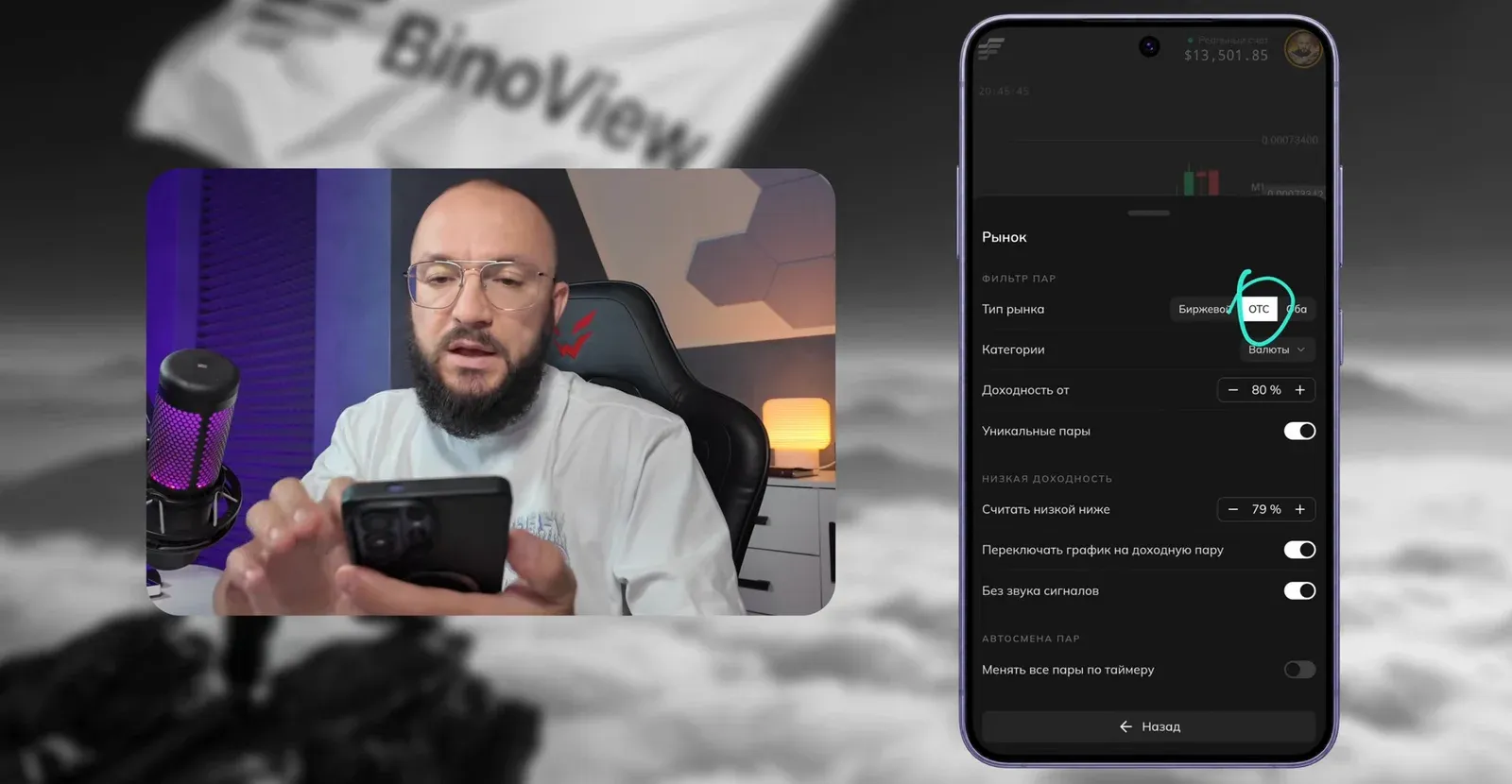
| Parameter | Value from the video | Note |
|---|---|---|
| Market type | OTC | the author trades OTC for round-the-clock access and advises beginners to use exchange assets |
| Categories | currencies | crypto and stocks can stay on, but in practice currency pairs are what trade |
| Payout from | 85% | any comfortable threshold, usually 80–85% |
| Unique pairs | on | its own pair on every screen; if it did not switch by itself, press an arrow once |
| Count as low below | 84% | one point below the payout threshold |
| Switch chart to a paying pair | on | a pair whose payout dropped is replaced with a paying one automatically |
| No signal sounds | on | |
| Change all pairs on a timer | off | only needed for a full rotation of assets |
Step 3. Terminal and sound settings
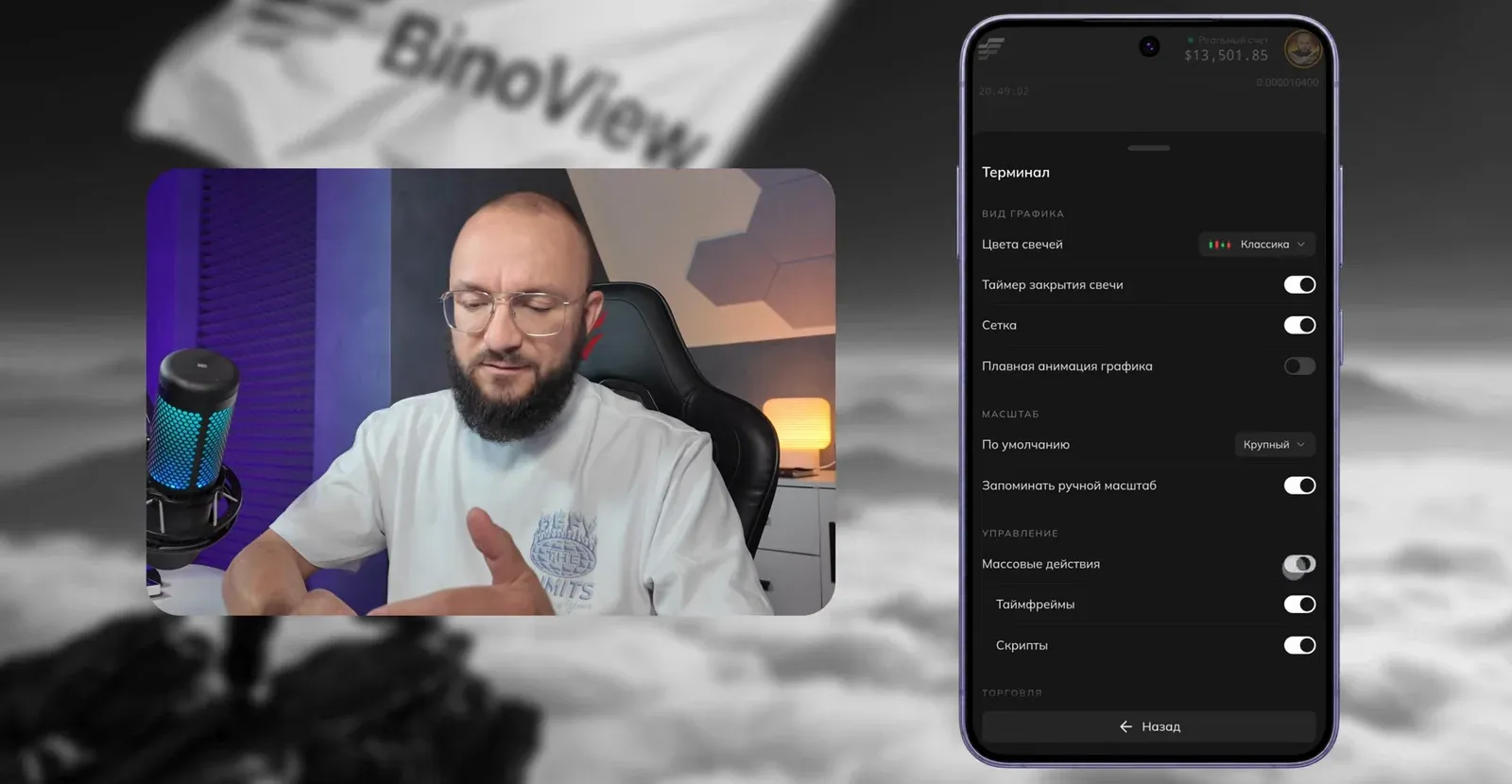
In the "Terminal" section the author keeps the classic candle colors, the candle close timer and the grid, and turns off smooth animation: it does not affect auto trading and only slows down a weak phone. The key item here is mass actions: without them the arrows that switch all fifteen screens at once do not appear. Mass actions are enabled for timeframes and scripts; the buttons and the trade amount limit belong to manual trading.
In the sound settings signal sounds are off and trade sounds are kept in the Pocket Option style: you can hear how a trade closed without looking at the screen.
Flip Core and other tools — in BinoView Supercharts
Step 4. The bot from the catalog
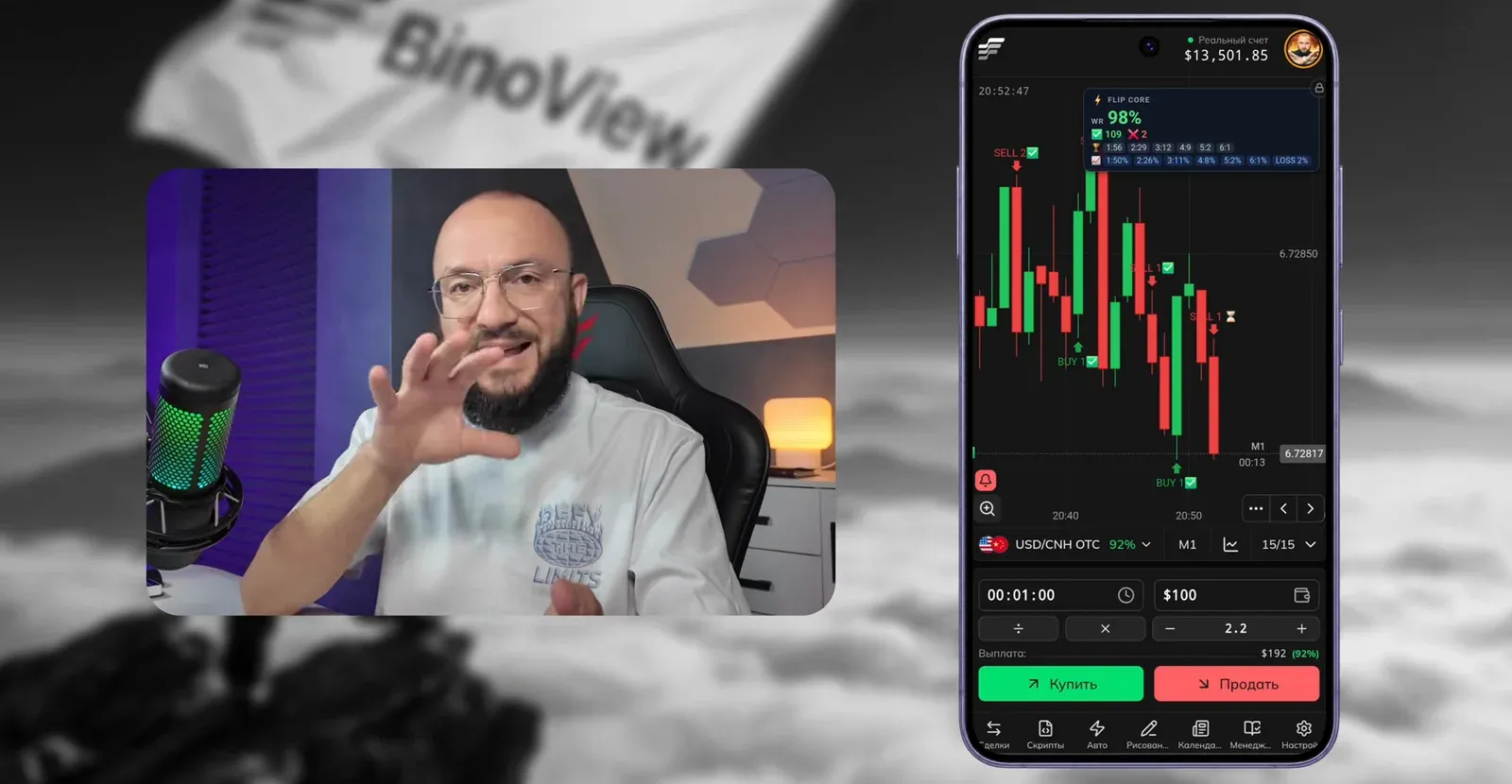
Scripts → Script catalog → search by name Flip Core → "Add to favorites" → tap the bot in favorites so it appears on the chart. The statistics card can be dragged to a convenient corner: the lock icon in the card's corner locks and unlocks moving. The author does not change the bot's own settings.
Step 5. Auto mode
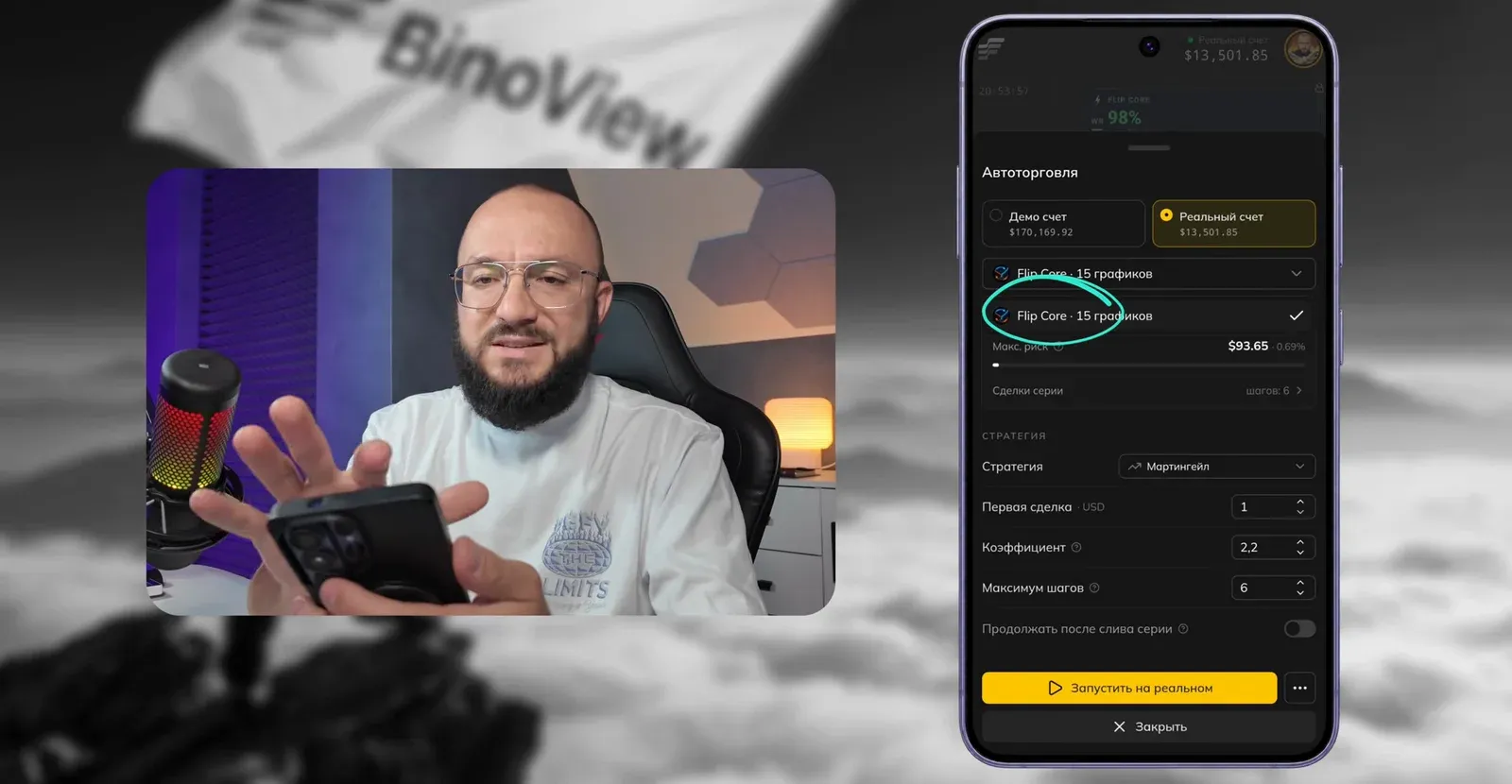
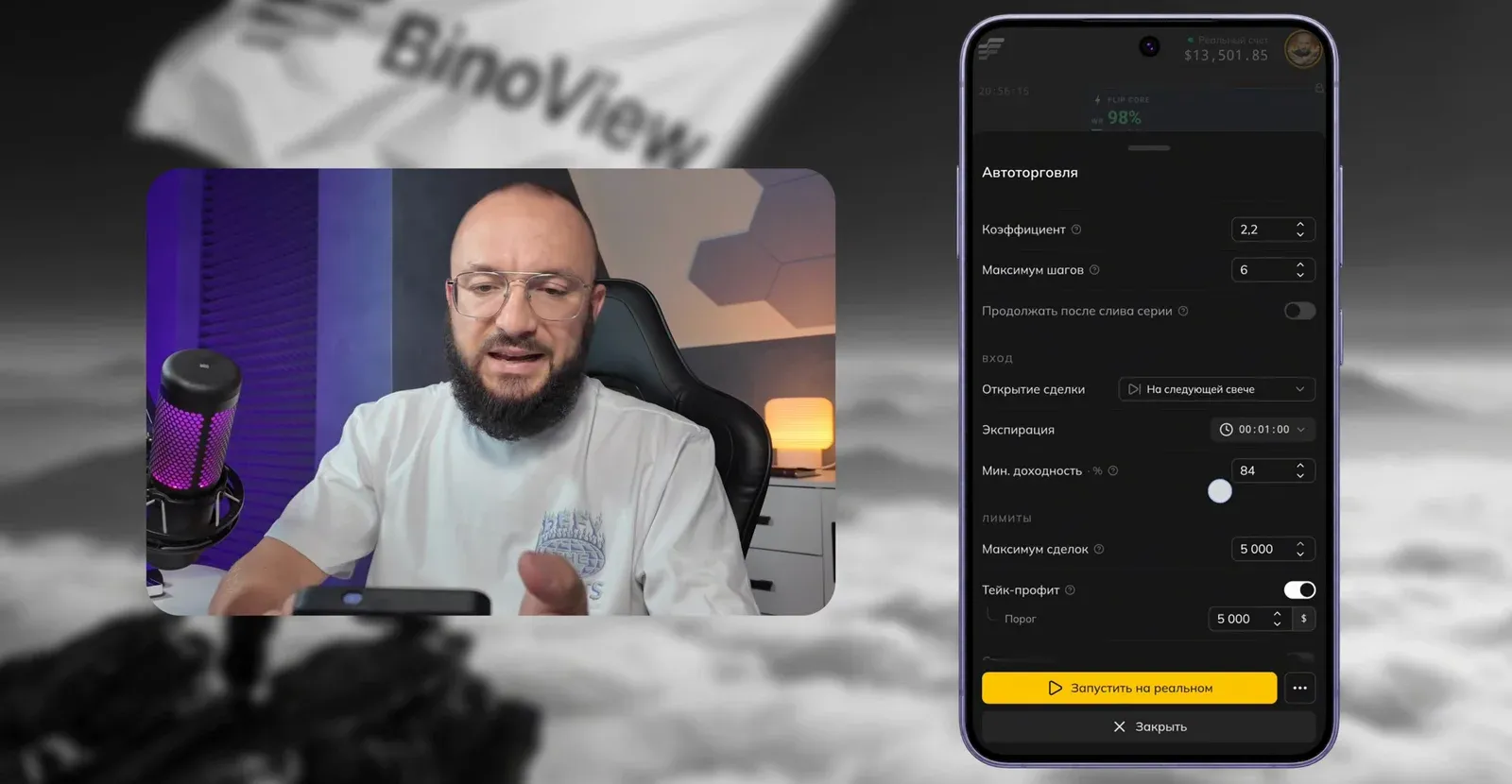
The "Auto" button opens the auto-trading settings. The first thing to check is the selected script: if there are other indicators on the chart, the list may show the wrong one.
| Parameter | Value from the video | Note |
|---|---|---|
| Account | real | demo for testing |
| Script | Flip Core · 15 charts | always check |
| Strategy | martingale | the author says it plainly: high risk |
| First trade | $130 | 1% of the deposit; the author usually sets $50 |
| Coefficient | 2.2 | |
| Maximum steps | 6 | |
| Continue after a lost series | off | |
| Trade opening | on the next candle | |
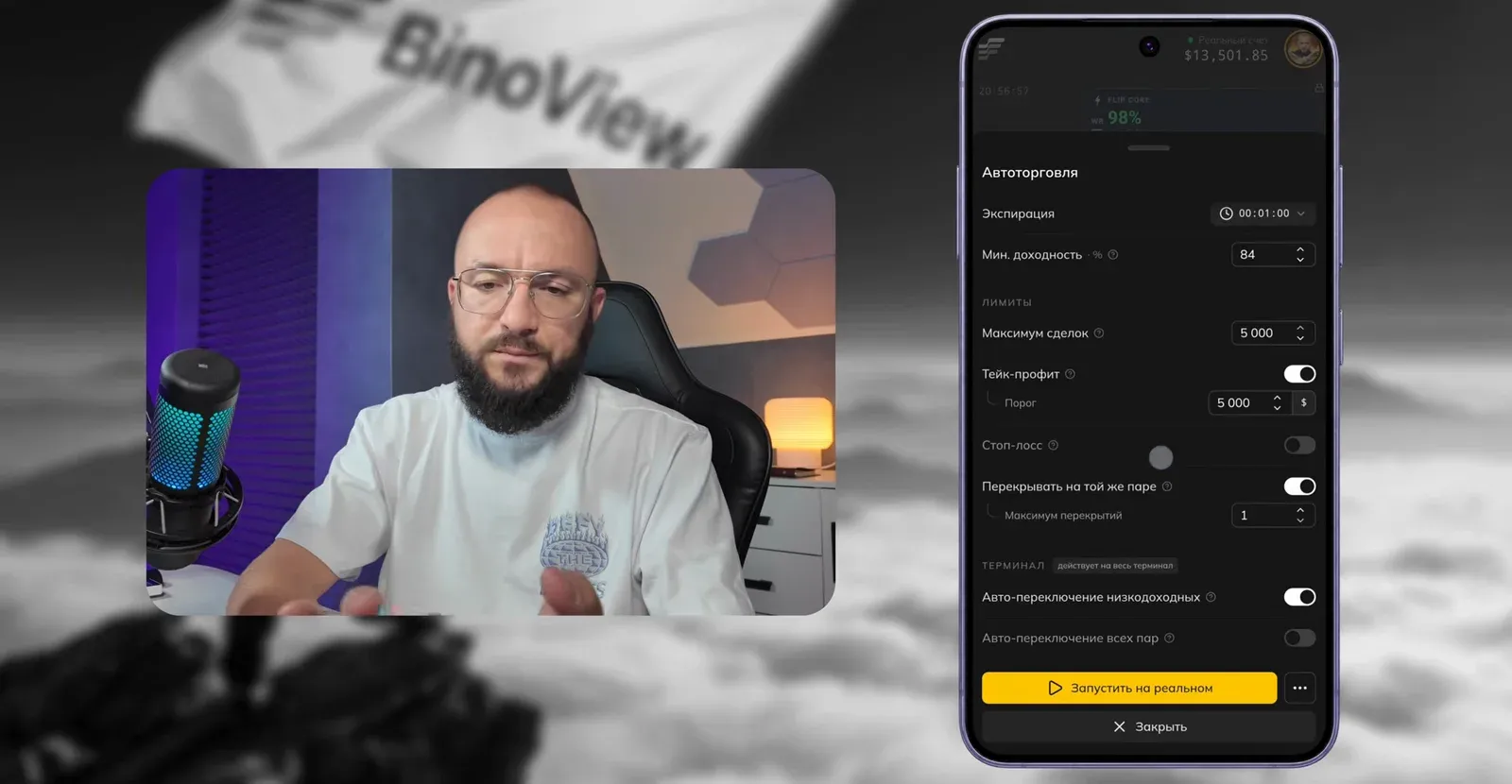
| Expiration | 1 minute | the chart is on M1 too |
| Min. payout | 84% | at 91–92% there may be no trades if your plan has no such assets |
| Maximum trades | 5,000 | so as not to limit the bot |
| Take-profit | $5,000 | to close a lucky series without getting greedy |
| Stop-loss | off | the series is already capped by six steps |
| Recover on the same pair | 1 recovery | |
| Auto-switch low-payout pairs | on |
An important note on the per-trade limit. On the Pocket Option VIP plan a trade is capped at $5,000, while the sixth step of a series from $130 at a 2.2 coefficient is $6,699: it simply will not open. The author suggests starting at $90, then the whole series fits the limit.
The control panel
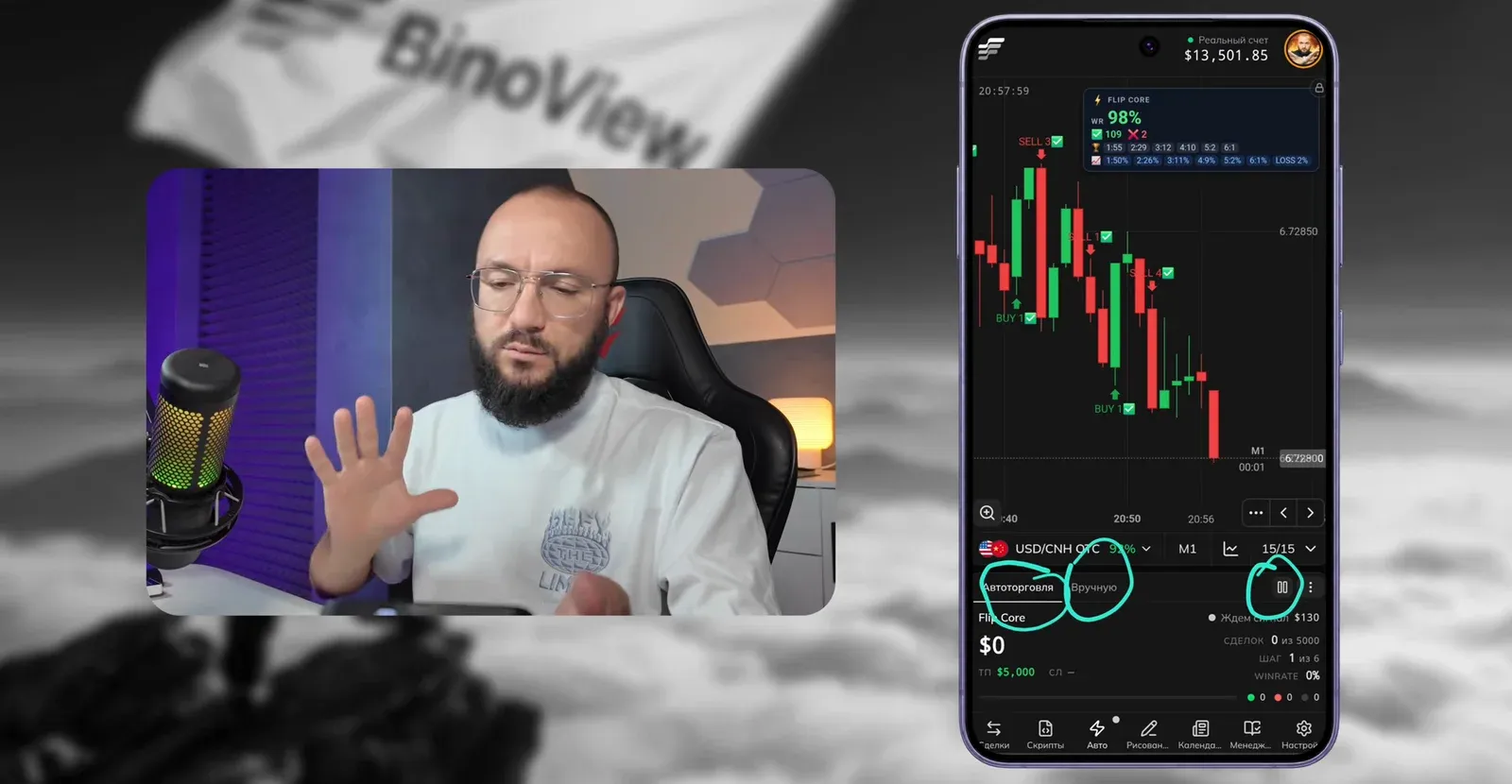
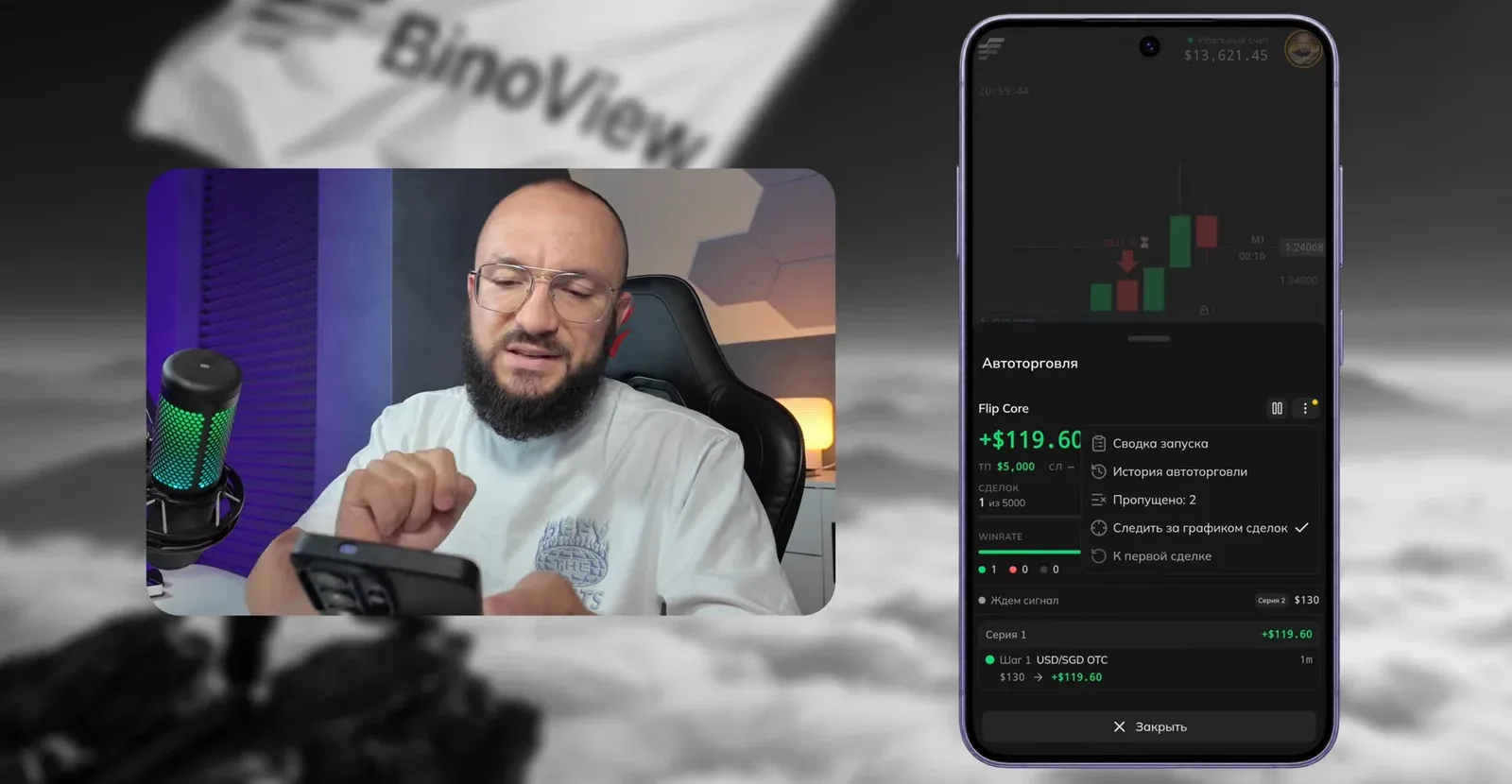
After launch an auto-trading panel appears at the bottom of the screen: an "Auto trading / Manual" switch, a pause button (no new trades are opened), a trade counter, the current series step and the win rate. Tapping the bot's name opens a window with the trade history and statistics. The three-dot menu holds:
- Launch summary — all settings of the current launch on one screen, handy to double-check yourself or send a screenshot.
- Auto-trading history — past sessions with results.
- Skipped — signals that did not become trades.
- Not confirmed — a signal appeared on a forming candle but was gone by its close.
- Follow the trade chart — the screen switches to the chart with the open trade by itself.
- Back to first trade — reset the series to step one.
The launch from the video, trade by trade
The bot is started on a real account with a $130 first trade. The first trade on USD/SGD OTC closes with a $119.60 win, followed by two more wins. On the third the author stops auto trading: the launch result is +$358.80, three trades out of three.
The auto-trading history shows past sessions of the same bot: August 26 +$1,155.68, September 3 +$510.87 with 19 wins and 16 losses, September 6 +$1,134.25, and on the day of recording the main session of 49 trades with 30 wins and 17 losses brought +$1,492.23. Together with the launch from the video the day came to over $1,800.
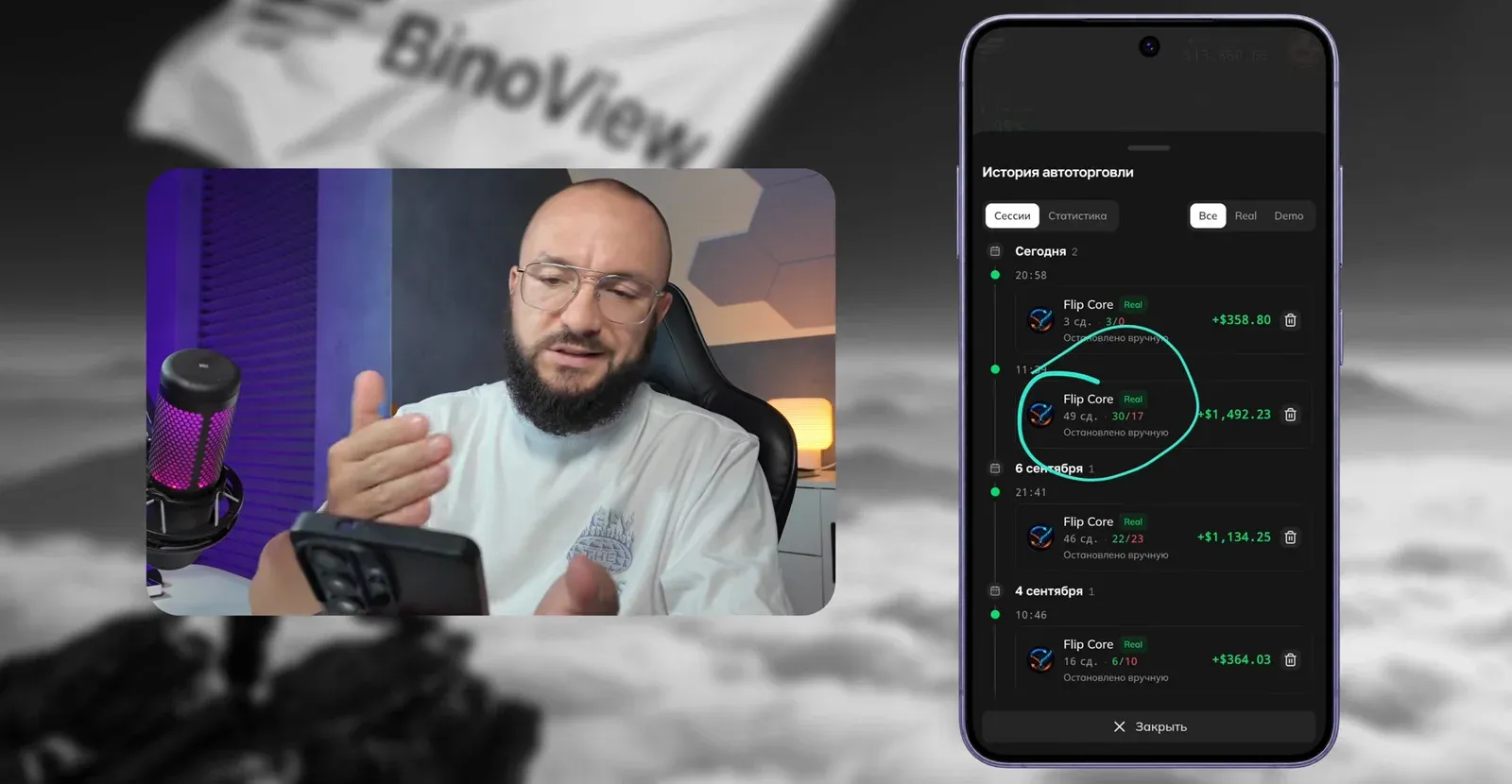
The author says it plainly: three wins in a row and a 100% win rate in this launch are chance. The hit rate usually stays around 52%, and the result comes from the series of recovery trades rather than from signal precision.
Before you launch
- Demo account first. All the buttons are the same, the money is not real. Move to a real account once you understand what each setting does.
- 1% or less. The author himself more often sets $50 on a $13,500 deposit: a cushion for six losses in a row matters more than speed.
- The per-trade limit. Check whether the sixth step of your series fits the maximum trade amount on your plan.
- OTC means synthetic quotes. Round-the-clock access is convenient, but price behaves differently from exchange pairs, see the OTC article.
- Results are not a guarantee. The author repeats this twice: the sessions in the history are a record of specific days, not a forecast.
FAQ
Why doesn't the bot open any trades after launch?
Most often it is the market type: exchange assets have no expirations shorter than a minute, and a low payout filters pairs out. Check the market type and payout threshold in the market settings, and in the Auto window make sure the selected script is the one you want rather than another indicator from the chart.
Do I really need 15 screens?
The bot looks for signals on every open chart, so the more unique pairs, the more frequent the trades. Fifteen is the maximum the author uses for auto trading; mass actions let you control them all at once.
What does the 'Back to first trade' button do?
It resets the martingale series to step one. If a series has reached the fourth or fifth step and you do not want to take the next one, pressing it returns the next trade to the starting amount: the series balance rolls back, but the deposit stays intact.